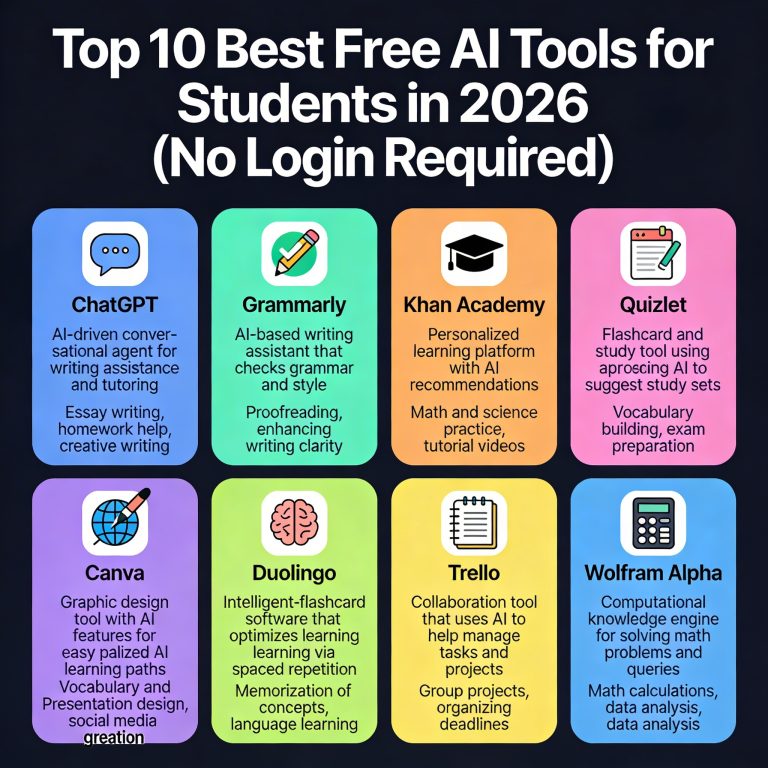
Top 10 Best Free AI Tools for Students in 2026 (No Login)
Students don’t need “another app”—they need fast answers, cleaner writing, better notes, and smarter study time. Below are 10 free AI tools you can start using immediately in a browser without creating an account (some may offer optional sign-in for saving history or higher limits).
Quick Comparison (Choose in 30 Seconds)
| Tool | Best for | No‑login use? | Biggest limitation |
|---|---|---|---|
| DuckDuckGo AI Chat | AI tutor + homework help | Yes | Fewer “project” features |
| Perplexity (Guest) | Research + citations + summaries | Usually yes | Daily limits vary |
| Hugging Face Spaces | Free AI apps (OCR, audio, text) | Often yes | Quality varies by app |
| LanguageTool | Grammar + proofreading | Yes | Advanced style features limited |
| DeepL Translate/Write | Translation + rewrite | Yes | Limited tone/custom controls |
| QuillBot Paraphraser | Paraphrasing + fluency | Limited yes | Premium modes locked |
| ZoteroBib | Citations & bibliography | Yes | Not a full reference manager |
| TLDR This | Summaries | Yes | Less control for complex texts |
| Wolfram | Alpha | Math/physics problem solving | Yes |
| SmallSEOTools Plagiarism Checker | Basic similarity check | Yes | Accuracy varies; use carefully |
How These Tools Help You Rank Higher in Grades (and Save Time)
Google (and teachers) reward work that’s clear, accurate, and well‑structured. The best student stack usually covers:
- Research (with sources)
- Writing + rewriting
- Grammar clarity
- Citations
- Summaries + notes
- Math/science solving
1) DuckDuckGo AI Chat (Free AI Tutor / AI Homework Helper — No Login)
If you want a fast “AI tutor” experience without creating an account, DuckDuckGo’s AI chat is one of the simplest options.
Best for: concept explanations, practice questions, quick study plans, rewriting notes in simpler language.
How to use (student workflow):
- Paste your question or textbook paragraph.
- Ask: “Explain like I’m 12,” then “Give me 5 practice questions with answers.”
- Ask for a “one‑page revision sheet.”
Pro tip: Ask it to generate flashcards: “Make 20 Q/A flashcards from this chapter.”
Limitations: Not ideal for heavy citation-style research or saving long projects.
2) Perplexity AI (Guest Mode) — AI Research Tool with Sources
Perplexity shines when you need research-style answers with clickable sources—great for assignments where you must reference credible material.
Best for: research summaries, compare/contrast, current topics, sourced explanations.
Make it “teacher-friendly”:
- “Give a 200-word answer with 3 sources and 5 key terms.”
- “Create an outline with headings + what to write under each.”
Limitations: Free usage and guest access can be rate-limited; always verify sources.
3) Hugging Face Spaces — Free AI Apps for Students (OCR, speech-to-text, summarizers)
Hugging Face Spaces is like a directory of mini AI tools—many work instantly in the browser.
Best for:
- OCR (extract text from images/screenshots of notes)
- Speech-to-text (turn lecture audio into text using Whisper demos)
- Quick summarizers and rewriting tools
Pro tip: Search Spaces for “Whisper,” “OCR,” “summarizer,” “PDF chat” (availability changes).
Limitations: Tools are made by different creators—quality and uptime vary.
4) LanguageTool — Free AI Grammar Checker
LanguageTool is excellent for polishing assignments with clear grammar, punctuation, and readability fixes.
Best for: essays, emails to professors, scholarship statements, reports.
What to ask yourself while editing:
- Are sentences too long?
- Is the tone formal enough?
- Are you repeating words?
Pro tip: After corrections, do one extra pass: “Simplify without changing meaning.”
Limitations: Deep “style rewriting” features may be limited in the free version.
5) DeepL Translate + DeepL Write — AI Translator + Rewrite Tool
DeepL is a top choice for students working across languages. DeepL Write also helps rewrite awkward sentences into natural English.
Best for: translation, improving clarity, fixing “robotic” phrasing for non-native speakers.
Great prompt: “Rewrite this paragraph to sound academic but simple.”
Limitations: Free use may limit length and advanced tone controls.
6) QuillBot Paraphraser — Free AI Paraphrasing Tool
QuillBot is popular for quickly rewriting sentences while keeping meaning—useful for improving flow and reducing repetition.
Best for: rephrasing, shortening/expanding a paragraph, improving readability.
Use ethically: paraphrase to improve clarity, not to disguise copied text. Always cite sources.
Limitations: Some modes and features are restricted unless you upgrade.
7) ZoteroBib — Free Citation Generator
ZoteroBib is one of the easiest tools for creating perfect references fast.
Best for: APA, MLA, Chicago citations and bibliographies.
Workflow:
- Paste a URL/ISBN/DOI.
- Choose citation style (APA/MLA).
- Copy bibliography into your assignment.
Limitations: It’s for quick bibliographies, not managing a huge library long-term.
8) TLDR This — AI Text Summarizer for Notes
When you’re drowning in long articles, TLDR tools help extract the main points quickly.
Best for: summarizing articles, turning reading into revision notes.
Pro tip: After summarizing, ask your AI chat tool: “Turn this summary into 10 exam questions.”
Limitations: Summaries can miss nuance—always skim the original for key details.
9) Wolfram|Alpha — Math & Science Solver
Wolfram|Alpha is not “chatty AI,” but it’s extremely strong for math, physics, chemistry, and graphs.
Best for: algebra steps, calculus, unit conversions, equation solving, plotting.
Student trick: Input a problem, then ask your AI tutor tool to “explain the steps in simple words.”
Limitations: Some step-by-step explanations may be limited compared to paid options.
10) SmallSEOTools Plagiarism Checker — Basic Similarity Check
A plagiarism checker can help you catch accidental copying—especially when you’ve used quotes or copied notes.
Best for: spotting copied sentences, checking citations and quotes.
Important: Treat results as a warning system, not a final judge. Different tools detect differently.
Limitations: Free web checkers can be inaccurate; never upload sensitive/private documents.
Best “Student AI Stack” (Top 10 Best Free AI Tools)
If you want the simplest decision, use one of these bundles:
- Essay + Assignments
- Perplexity (research with sources)
- LanguageTool (grammar)
- ZoteroBib (citations)
- Fast Revision
- TLDR This (summaries)
- DuckDuckGo AI Chat (flashcards + practice questions)
- Math/Science
- Wolfram|Alpha (solve)
- DuckDuckGo AI Chat (explain concepts + practice)
best free ai tools for students 2026 free ai tools for students no login ai tools for homework free no sign up free ai study tools for notes and summaries ai research assistant free with sources free ai writing assistant for students free grammar checker for students online free paraphrasing tool for students no login free citation generator apa mla for students free ai math solver for students online