
What is a SIN number in Canada?
A Social Insurance Number (SIN) is a unique 9-digit number issued by Employment and Social Development Canada (ESDC). It is the most important identification SIN Number in Canada — used for working, filing taxes, accessing government benefits, opening bank accounts, and applying for student loans. Every person who works or studies while working in Canada must have one. Without a SIN, your employer cannot legally pay you and you cannot file a tax return with the Canada Revenue Agency (CRA).
Important: Your SIN is highly sensitive personal information. Never share it unless legally required — only your employer, bank, and government agencies have a right to ask for it. Guard it like a password.
Student SIN vs business SIN — what’s the difference?
Personal / student SIN
Used by Canadian citizens, permanent residents, and international students with a valid work permit. One SIN covers employment, taxes, student loans (OSAP, NSLSC), and government benefits.
Business / self-employed SIN
Sole proprietors and self-employed individuals use their personal SIN for all business income — no separate number needed. Only incorporated companies (Ltd/Inc) require a separate Business Number (BN) from the CRA.
Who needs a SIN number in Canada?
International students: You only qualify for a SIN if you have a valid study permit AND a co-op work permit, or any document authorizing you to work in Canada. A study-only permit does not qualify you for a SIN.
Documents required
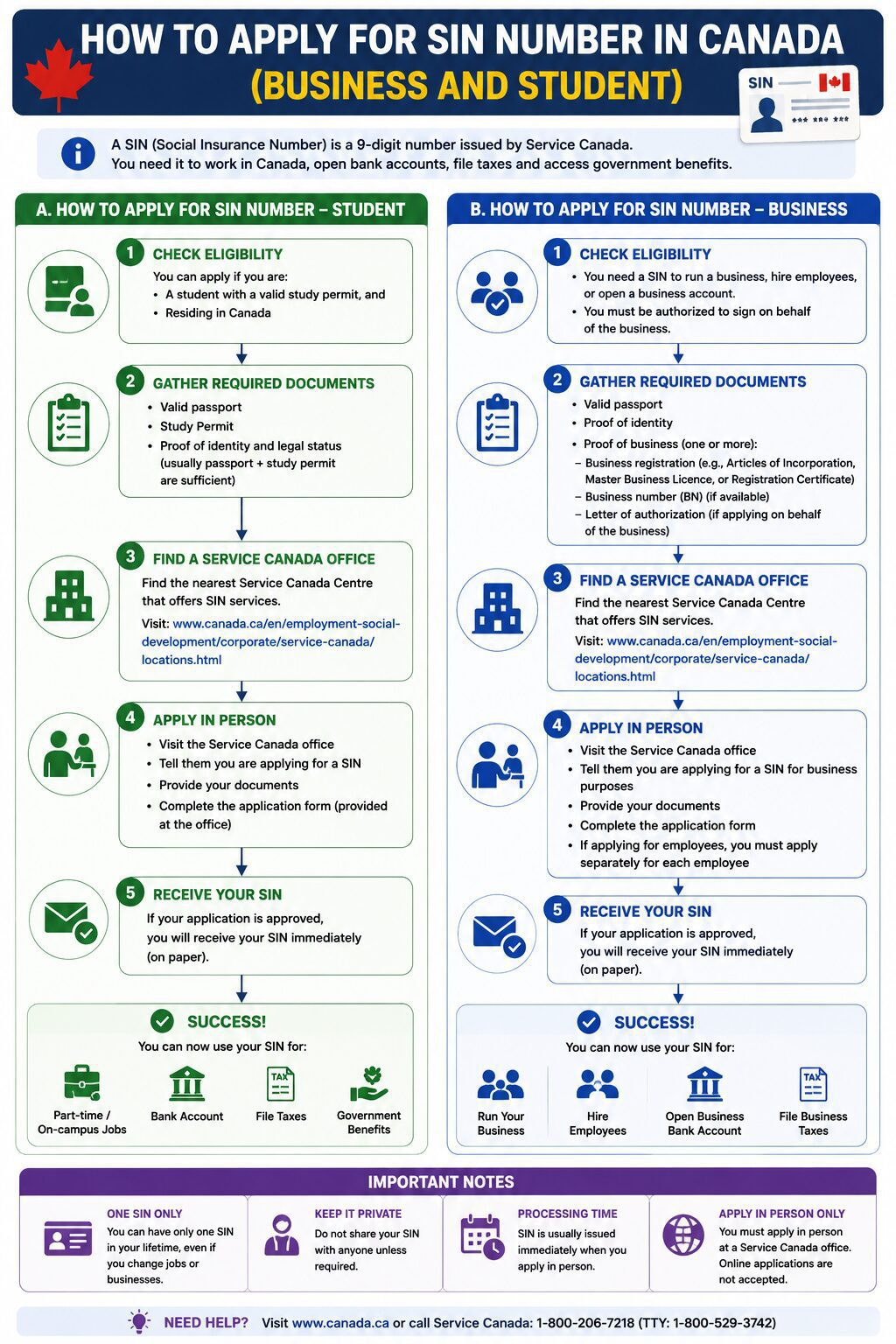
How to get a student / personal SIN number — step by step
Check your eligibility
You must be legally authorized to work in Canada — citizen, permanent resident, or international student with a valid work permit or co-op authorization. Study-only permits do not qualify.
Choose your application method
You can apply in person at a Service Canada Centre (fastest — same-day SIN), by mail, or online at canada.ca for eligible applicants. In-person is strongly recommended for students as you get your SIN immediately.
Gather your documents
Bring your primary identity document (passport, birth certificate, or immigration document) plus proof of your Canadian address (utility bill, bank statement, or lease dated within 12 months).
Visit a Service Canada Centre
Find your nearest location at servicecanada.gc.ca. No appointment needed for most centres. Bring original documents — photocopies are not accepted. Processing is free of charge.
Receive your SIN
In-person applicants receive their 9-digit SIN on the same day, printed on a confirmation letter. Mail applications take 20 business days. There is no longer a physical SIN card issued — your confirmation letter is your official record.
Give your SIN to your employer
Provide your SIN to your employer on your first day. They need it to set up payroll and remit your taxes to the CRA. Also use your SIN to register for a CRA My Account online at canada.ca/my-cra-account.
Temporary resident SINs start with 9 — for example, 9XX-XXX-XXX. These expire when your visa/permit expires. You must renew your SIN when you renew your work or study permit.
How to get a CRA Business Number for your company — step by step
If you are a sole proprietor or self-employed, skip this section — use your personal SIN. This section is for incorporated companies (Ltd, Inc, Corp) only.
Incorporate your business first
Register your corporation federally at Corporations Canada (corporationscanada.ic.gc.ca) or provincially through your province’s business registry. This gives you a Corporation Number you need for the CRA registration.
Register with the CRA online
Go to canada.ca/cra-business-registration. This is the Business Registration Online (BRO) portal. You will need your personal SIN as a director to proceed. Registration is free and takes about 15 minutes.
Complete the registration form
Enter your company name, incorporation date, province of operation, nature of business (NAICS code), fiscal year end (most choose December 31 or March 31), and the director’s personal SIN and address.
Select your CRA program accounts
Choose which accounts you need: Corporate Income Tax (always required), GST/HST (required if revenue exceeds $30,000/year), Payroll (if hiring employees), and Import/Export (if applicable).
Receive your 9-digit Business Number
Your Business Number (BN) is issued immediately online — for example, 123456789. Each program account gets an extension: RT0001 for GST/HST, RP0001 for payroll, RC0001 for corporate tax.
Set up My Business Account
Register at canada.ca/my-cra-business-account to file GST/HST returns, payroll remittances, and corporate tax returns online. This replaces paper filing and keeps everything in one place.
Sole trader tip: If you are self-employed, freelancing, or dropshipping as a sole proprietor, you do not need a separate Business Number. File your business income on your personal T1 tax return using your SIN. Register for GST/HST separately if your revenue exceeds $30,000 in any 12-month period.
Understanding your SIN number format
Never share your SIN on social media, by email, or over the phone unless you initiated the call to a government agency. SIN fraud and identity theft are serious crimes in Canada.